 Gensta.ai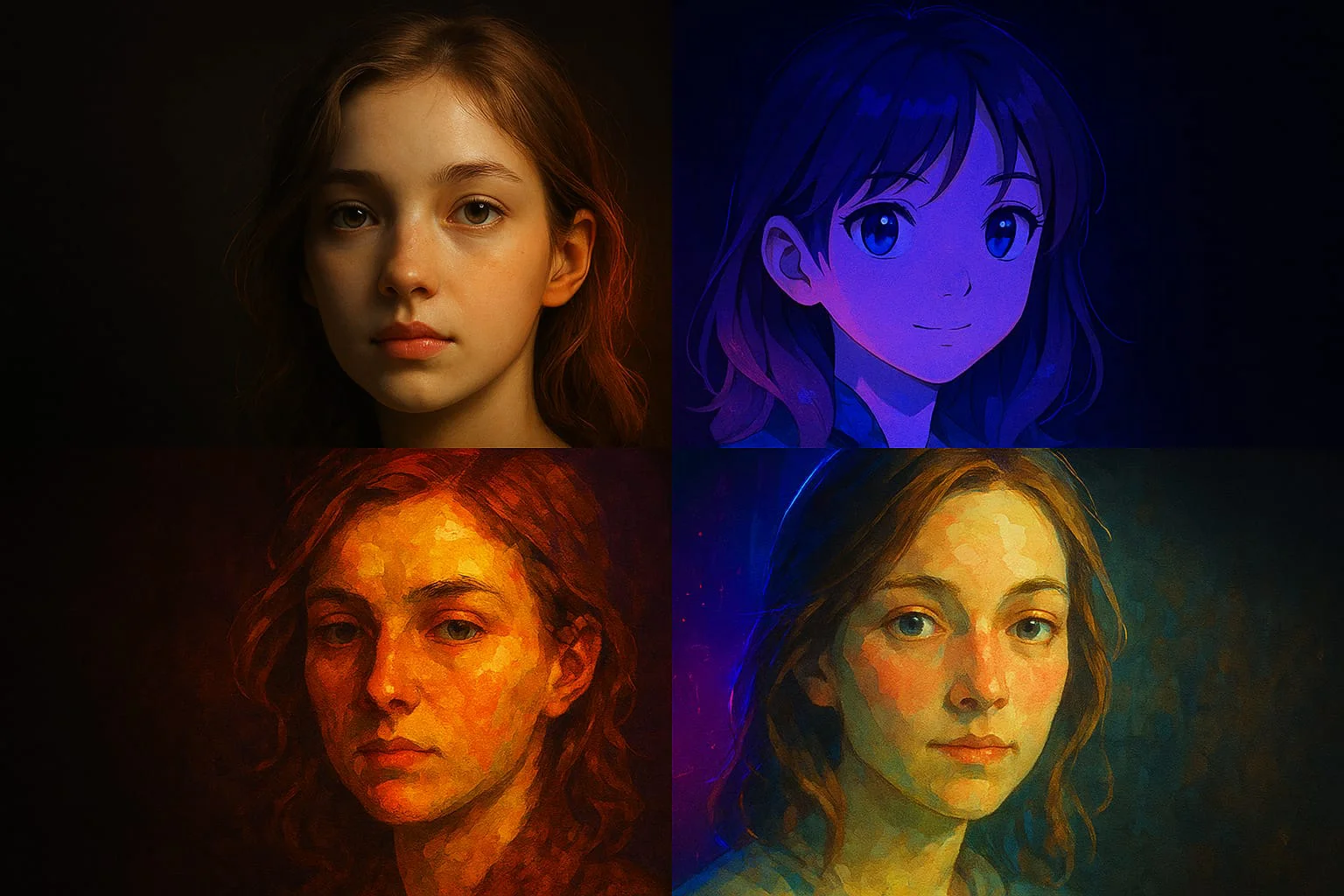
How to Create an AI Avatar from Your Photo with Neural Networks in 2026
An AI avatar turns your photo into a stylized portrait: anime, cyberpunk, realism, or art. Neural networks create a unique avatar in 10 seconds. Here's how.
What Is an AI Avatar and What Is It Used For
An AI avatar is an image created by a neural network from your photo, but in a different style: an anime character, cyberpunk portrait, oil painting, watercolor art, or realistic 3D render.
AI avatars are used as profile pictures on social networks, messengers, and games; as personalized illustrations; as gifts for friends (an avatar in the style of a favorite game or anime); and as branding visuals for content creators and influencers.
The key advantage of an AI avatar over a regular photo: uniqueness and style. A non-standard avatar stands out among thousands of standard photos in social feeds and is memorable.
AI Avatar from Photo: Popular Styles and How to Create Them
Nano Banana 2 is the best tool for creating avatars that preserve facial likeness. The model understands style instructions and transfers your facial features into the specified style.
Popular avatar styles and prompts:
Anime: "anime portrait, vibrant colors, large expressive eyes, detailed hair, Studio Ghibli style"
Cyberpunk: "cyberpunk portrait, neon lights, futuristic city background, cyber implants, dark atmosphere, high detail"
Oil painting: "oil painting portrait, impressionist style, thick brushstrokes, warm palette, museum quality"
Realistic 3D: "ultra-realistic 3D portrait, cinematic lighting, sharp focus, photorealistic skin texture, professional rendering"
Fantasy: "fantasy portrait, elven warrior, armor, dramatic lighting, epic composition, digital art style"
Try on Gensta.aiAnimated Avatar: Bringing Your AI Portrait to Life
A static avatar is good. An animated one is far more memorable. Through Kling Motion Control, you can bring any AI avatar to life.
How it works: first create an avatar in Nano Banana (static image), then upload it to Motion Standard or Motion Pro and add a motion prompt.
Prompts for animated avatars: — "character slowly turns head and smiles, hair gently moving" — natural subtle movement. — "cyberpunk character looks around, neon lights flickering, cinematic" — dynamic scene. — "anime character blinks and smiles sweetly, sparkling eyes" — cute animated style.
Animated avatars are especially popular for Telegram channels, gaming profiles, and influencer branding.
Full process: create avatar (10–15 sec) + animate (1–3 min) = unique animated character in 5 minutes.
Try on Gensta.aiTips for Better AI Avatar Results
A few practical rules for consistently good results.
Choose the right source photo. A sharp portrait, face clearly visible, neutral expression. Front-facing or slight angle. Avoid group photos and sunglasses.
Describe the style specifically. "Anime" is too vague. "Studio Ghibli style, soft colors, 2000s anime aesthetic" is much better.
Preserve likeness. If you want the avatar to look like you — add "preserve facial features", "same face structure" to the prompt. Nano Banana Pro preserves likeness better than the base version.
Generate multiple variants. The first result isn't always ideal. Try 3–5 generations with the same prompt and pick the best — variations can be significant.
All articles
How to Animate a Photo with AI: Step-by-Step Guide 2026
Animating photos with AI is one of the most popular creative trends in 2026. Learn how to turn any still image into a living video in just a few minutes.
AI Video Generation: A Complete Guide to Neural Networks in 2026
An overview of all available neural networks for generating video from text and images. Which model to choose, pricing, and how to achieve professional results.
Sora 2 vs Veo 3.1 vs MiniMax 2.3: Comparing AI Video Models
A detailed comparison of three of the most popular AI video generation models. Quality, speed, pricing, and when to choose which model.