 Gensta.ai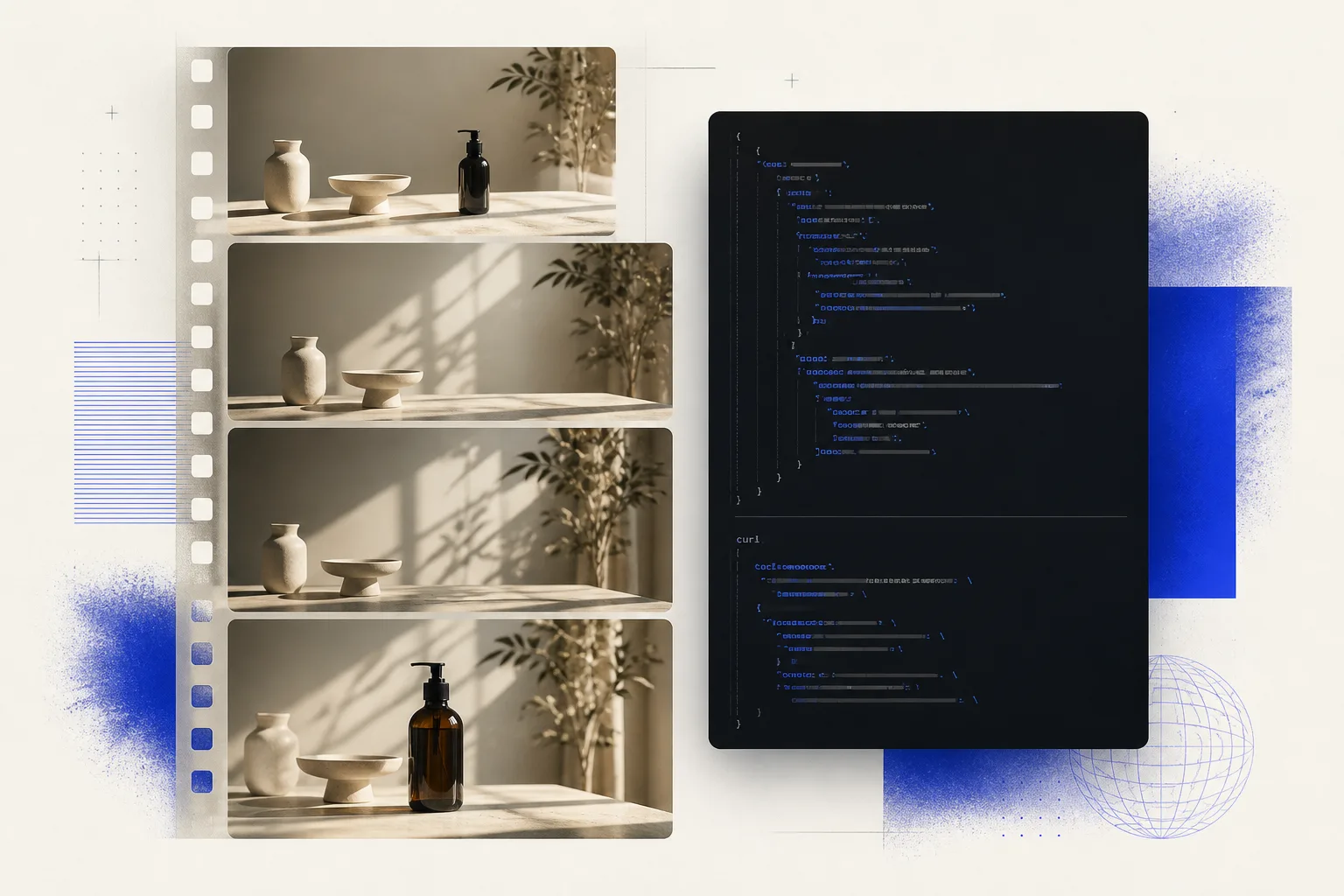
Video Generation API: Add AI Video to Your Product
How a video generation API works: competitive prices, current models, async jobs, and pay-as-you-go billing. What you need before the first request.
What a video generation API is
A video generation API is an HTTP contract your product, agency, or service uses to run a model and download a finished clip. You do not open a studio in the browser or host GPUs: you send a request, get a job id, and fetch the file later.
You need this when video has to appear inside your own app: an ad cabinet, a clip builder, content automation, or a client portal. The user stays with you; the model runs on the provider side.
Gensta API is that layer: one predictable contract, a price before launch, and async jobs. Product details live on the API page; request fields live in the docs.
Why a product needs an API, not a studio
A studio is for a person. An API is for code. If a clip should start from an event — a new SKU, an uploaded photo, a client request — you cannot drop a studio UI into that pipeline.
The second reason is unit cost. When your backend calls the model, you pay for generation seconds and decide the markup yourself. You do not buy someone else's UI and someone else's packaged limits.
The third is control. Your key, your balance, your retries, your client-side queue. The user never sees another brand and never leaves your product.
How much a video generation API costs
Gensta API has no subscription: you pay for usage. A useful example is text-to-video at 720p for 5 seconds: from $0.39. The final amount depends on resolution, duration, and input type; the API returns the calculated price before the job starts.
That is cheaper than wiring every provider yourself and owning the queue, billing, and result storage. The margin stays in your product, not in someone else's builder.
The balance inside the API is tracked in USD. Top up in the developer portal and run jobs — no monthly plan.
Which models the API exposes
The catalog starts with Wan 3: text-to-video, image-to-video, references, edit, extend, and audio. It is the first model, not the last. New models join the same POST /v1/generations call, so you do not rewrite the integration.
If you want Wan 3 as a model — duration, audio, references — read the dedicated review. This article is about the API layer: how to put generation into a product, not how to write a prompt.
Wan 3.0 review in GenstaWhat reliability means here
Video generation takes minutes, not milliseconds. A proper API does not keep the HTTP connection open the whole time: POST returns an id and a queued status, and you read the result with a later GET.
The price is fixed before launch — you see the reserved amount instead of discovering the cost after the fact. If the client retries after a network timeout, the retry must not charge a second generation.
The finished video is stored by Gensta, not as a one-off provider URL. For a product that means the job is not lost in the queue, money is not captured twice, and the file is still there when you come back.
How to start: key, request, result
Open the developer portal, create a project, and issue an API key. Send the key as a Bearer token from your server — never from the user's browser.
Then make one call: POST /v1/generations with the model, mode, and parameters. The response is an id and a status. While the clip renders, your service does other work.
When the status is succeeded, the GET response includes the file URL. The docs cover request fields; the API landing is enough to understand the trio: key → POST → GET.
How billing works
You pay as you go from a USD balance. There is no monthly plan and no minimum package. Top up in the portal, then start jobs.
Quoted prices stay comparable with international per-second rates, so you can model unit economics before you integrate.
Open Gensta API
If you need a video generation API with a clear price and current models, start on the product page: a short offer, a sample request, and the portal.
Open the API pageVideo generation API FAQ
What is a video generation API?
A programmatic interface your server uses to start a model and download a finished clip. The user stays in your product; the model runs over HTTP.
How much does a video generation API cost?
Gensta API has no subscription. Example: 720p and 5 seconds of text-to-video starts at $0.39. The exact amount is visible before launch and depends on resolution, duration, and input.
Which models can I call?
Wan 3 is available now: text, frame, references, edit, and extend. New models join the same contract without rewriting your integration.
How do I pay?
Pay as you go from a USD balance. Top up in the developer portal — no monthly plan.
Do I keep the connection open while the video renders?
No. POST returns a job id immediately. You read readiness and the file URL with a separate GET.
Sources
Gensta builds both Gensta API and the consumer studio at gensta.ai. This article describes the public API product; it is not a benchmark of third-party providers.
All articles
GPT Image 2 Review: Image Generation, Editing, and Prompt Examples
See what GPT Image 2 can do in Gensta, how its settings work, and use practical prompts for product cards, posters, text, and image editing.

Wan 3.0 in Gensta: How to Create 30-Second AI Video with Audio
Wan 3.0 is available in Gensta for text-to-video, first- or first-and-last-frame animation, and multimodal reference workflows. This guide covers controls, limits, pricing, and prompt patterns.

Seedance 2.5: How to Create 30-Second AI Videos with Audio
Seedance 2.5 is now available in Gensta for text-to-video, first-frame or first-and-last-frame animation, and multimodal reference workflows. This guide covers the controls Gensta actually exposes, its current limits, and a practical structure for longer prompts.